Foundgine
Getting started
Foundgine targets .NET 9.
The quickest way to understand it is to run the repository’s SupplyChain sample and then inspect the same pipeline in the src/ packages.
Requirements
- .NET 9 SDK
- Git
- Docker Desktop (required for PostgreSQL-backed integration/sample execution)
Build
From the repository root:
dotnet restore
dotnet build
The repository enables nullable reference types and treats warnings as errors.
Run the unit tests
dotnet test
The normal unit suite is designed to run without a database.
For PostgreSQL integration tests, see POSTGRES-E2E.md.
First application
At minimum an application needs:
- a semantic model;
- an authorization policy;
- a provider plan compiler;
- an execution provider.
The normal composition is:
services.AddFoundgine(options =>
{
    options.Model = model;
    options.AuthorizationPolicy = policy;
});
Provider registration is separate.
For application code, inject IFoundgineExecutor. It is the intentionally small
entry point and exposes only ExecuteAsync. Use IFoundgine only for advanced
capability-discovery, dry-run, or approval workflows.
For PostgreSQL, add the SQL provider and register its compiler/execution services according to the application/provider composition.
A simple query
Typed:
var result = await foundgine
    .Query<Customer>()
    .Select(c => new { c.Id, c.Name })
    .Where(c => c.TenantId == tenantId)
    .Take(50)
    .ExecuteAsync();
Dynamic:
var result = await foundgine
    .Query("Customer")
    .Select("Id", "Name")
    .Where("TenantId", SemanticFilterOperator.Eq, tenantId)
    .Take(50)
    .ExecuteAsync();
Both produce the same provider-neutral semantic intent.
Structural metadata
If the application already has metadata:
services.AddFoundgine(options =>
{
    options
        .UseMetadata(metadata)
        .ConfigureSemantics(model =>
        {
            model.Traversal(
                "Customer",
                "transactions",
                "customerRelationships",
                "contract",
                "transactions");
        })
        .ConfigureAuthorization(auth =>
        {
            // application policy
        });
});
Metadata supplies structural facts. Semantic configuration supplies application meaning.
AOT
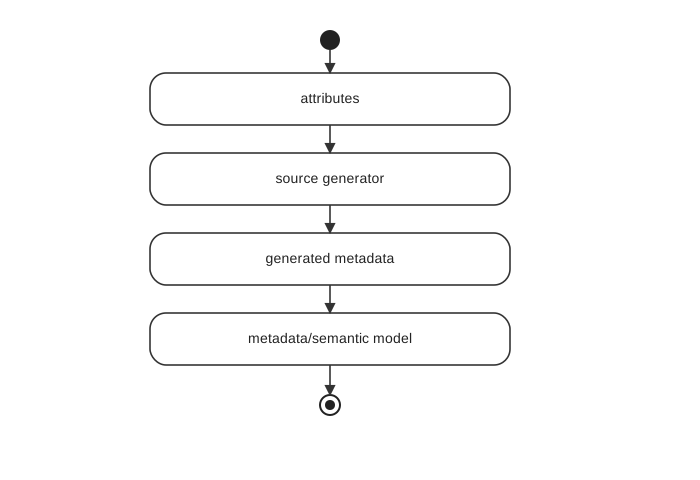
For compile-time metadata, use the Foundgine.Providers.Aot declarations with the Foundgine.Providers.Aot.Generator build-only analyzer. The AOT declarations are part of Foundgine.Providers; the former Foundgine.Experimental package is no longer used.
See AOT.md.
JSON intent
For structured callers:
var adapter = new JsonReadIntentAdapter();
var intent = adapter.Parse(json);

var result = await foundgine.ExecuteAsync(intent);
Configure JsonReadIntentAdapterOptions for public endpoints.
GraphQL
Use Foundgine.Extensions.GraphQL.HotChocolate to translate GraphQL operations into Foundgine semantic intent.
The same namespace also contains the secure query and mutation executors — FoundgineHotChocolateQueryExecutor and FoundgineHotChocolateMutationExecutor — that run that intent through the Foundgine authorization/execution boundary.
The host owns authentication/security context.
MCP
Foundgine.Providers.Tools.MCP exposes semantic capabilities and intent through MCP.
The host should provide an ISecurityExecutionContextProvider backed by authenticated request/session state.
Do not allow MCP arguments to choose tenant, identity, warrant, or provider credentials.
AI
Foundgine.Providers.Models integrates with Microsoft.Extensions.AI.
The model can call semantic tools:
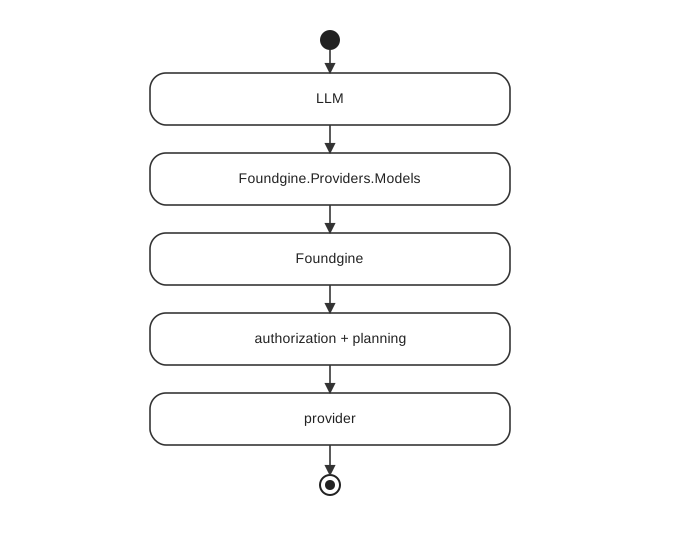
The model is an untrusted producer of intent.
For package-specific details, see the README.md in each src/csharp/Foundgine.* project.
Next: Why Foundgine